
Download DU Meter – Network Traffic Monitor, Data Usage Tracker, Real-Time Internet Monitor
Overview
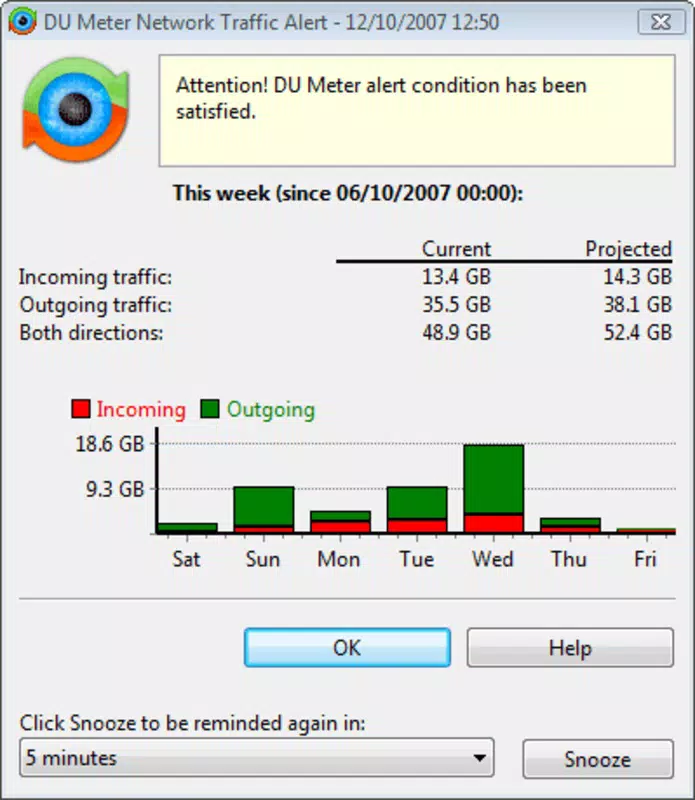
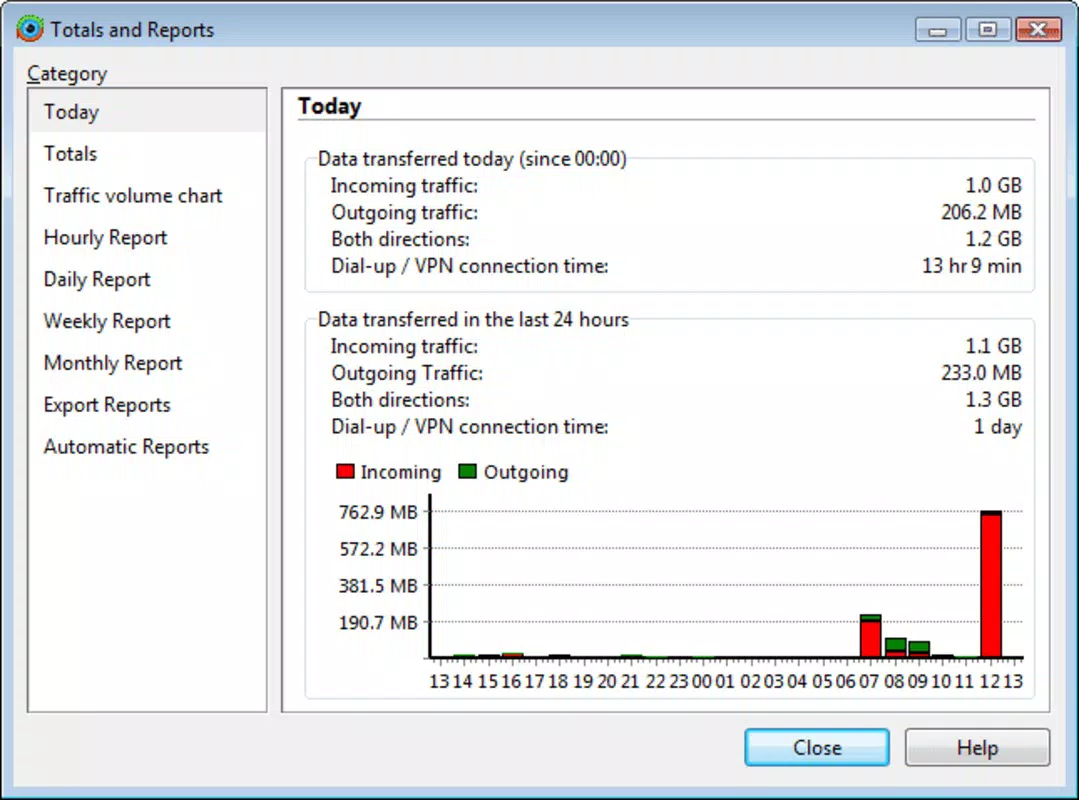
DU Meter is a specialized mobile application designed to provide users with real-time visibility into their network activity. The app enables individuals to monitor data transmission and connection times through detailed graphical representations, offering a clear understanding of their Internet usage patterns. It is particularly useful for users who want to track bandwidth consumption, manage data caps, or identify potential network bottlenecks. The app supports a variety of connection types, including cable, DSL, and modem-based services, making it adaptable to diverse user environments.
Target users include remote workers, students, gamers, and anyone concerned about data usage or network performance. By delivering accurate, up-to-date information on upload and download speeds, DU Meter empowers users to make informed decisions about their online behavior. Whether managing a limited data plan or optimizing home network efficiency, the app serves as a practical utility tool for maintaining control over digital connectivity.
The developer did not provide additional technical details about their background or history. However, the app’s focus on performance, minimal resource consumption, and intuitive design suggests a commitment to user-centric functionality. In the broader app ecosystem, DU Meter fills a niche for lightweight, reliable network monitoring tools, especially in markets where data usage transparency is critical.
Key Features & Functionality
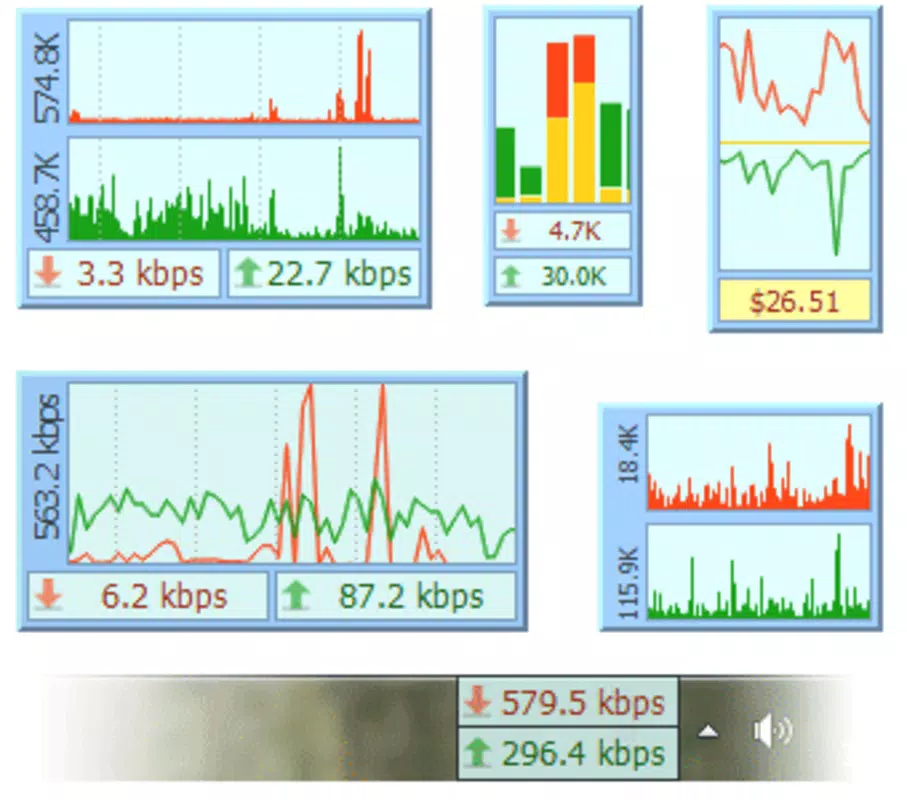
- Real-Time Traffic Monitoring: DU Meter delivers instant updates on upload and download speeds, allowing users to observe network activity as it happens. This feature is ideal for identifying sudden spikes in data usage, such as during large file downloads or video streaming sessions.
- Comprehensive Statistics: The app collects and displays historical data on data transmission and connection durations. Users can analyze trends over hours, days, or weeks, helping them detect peak usage times and adjust their habits accordingly.
- Resource Efficient Operation: Built to consume minimal system resources, DU Meter runs smoothly in the background without impacting device performance. Its lightweight design ensures consistent monitoring without draining battery or slowing down other tasks.
- Versatile Connectivity Support: The app is compatible with multiple connection types, including cable, DSL, and modems. This broad support allows users across different network infrastructures to benefit from its monitoring capabilities.
- User-Friendly Interface: DU Meter features a clean, intuitive layout with clear graphical displays. Navigation is straightforward, enabling both casual users and tech-savvy individuals to access critical information quickly and efficiently.
For example, a student on a limited mobile data plan can use DU Meter to track usage during online classes and avoid overages. Similarly, a remote worker can monitor upload speeds during video conferences to ensure stable performance. The app’s real-time alerts and visual feedback make it a valuable tool for proactive network management.
Interface, UX & Performance
The user interface of DU Meter is designed with clarity and functionality in mind. The app employs a semi-transparent window layout that allows users to view network data without obstructing their primary tasks. Visual elements such as graphs and real-time speed indicators are presented in a way that is both informative and unobtrusive.
Navigating through the app is straightforward, with essential metrics displayed prominently. Settings and historical data can be accessed through a simple menu system, minimizing the learning curve for new users. The app’s responsiveness is consistent, with updates reflecting network changes almost immediately.
Although the developer did not list formal performance metrics, the app’s lightweight architecture suggests it maintains stable operation across various device categories. It runs efficiently on both high-end and mid-tier smartphones, ensuring accessibility for a wide audience. Stability is maintained during extended monitoring sessions, with no reported crashes or freezes in available documentation.
Platform Compatibility & Technical Requirements
DU Meter is available for Android devices. The app supports the latest Android operating system versions, though specific requirements were not listed. The file size is approximately 12.5 MB, making it a compact download suitable for devices with limited storage space.
Compatibility information was not fully disclosed. The developer did not specify minimum OS requirements or device specifications. Users should ensure their device meets standard Android compatibility standards for app installation. The app is designed to function on smartphones and tablets, though exact device support details were not provided.
Pros and Cons
Pros
- Real-time monitoring of upload and download speeds
- Comprehensive historical data tracking for usage analysis
- Lightweight design with minimal system resource usage
- Supports multiple connection types including cable, DSL, and modems
- Intuitive interface suitable for both beginners and advanced users
Cons
- Specific technical requirements were not disclosed
- Compatibility details for older Android versions were not provided
- Developer background and support channels were not listed
- Limited information on update frequency or future development plans
- Does not include built-in data usage alerts or notifications
FAQ
Is DU Meter safe to install on my Android device?
Yes, DU Meter is a secure application designed to monitor network activity without accessing personal files or sensitive data. It operates within standard Android permissions and does not require excessive access rights.
Can I use DU Meter on iOS devices?
The availability of DU Meter on iOS was not confirmed. The app is currently listed as an Android-only application, and no official iOS version has been released.
Does DU Meter consume a lot of battery?
No, the app is designed to be resource-efficient. It runs in the background with minimal impact on battery life, making it suitable for long-term monitoring without draining the device.
How often does DU Meter update its data?
DU Meter provides real-time updates on network activity, refreshing data at regular intervals to reflect current upload and download speeds accurately.
Is there a free version of DU Meter available?
While the pricing information was not fully disclosed, the app is available for download with a clear price listed. Users should verify the current pricing model through official app stores.
Final Thoughts
DU Meter stands out as a reliable, lightweight solution for users seeking detailed insights into their network performance. Its ability to deliver real-time data monitoring, comprehensive statistics, and efficient operation makes it a valuable tool for managing data usage and optimizing connectivity. The app’s user-friendly interface and broad compatibility enhance its accessibility across different user profiles.
For remote workers, students, and anyone managing limited data plans, DU Meter offers a practical way to stay informed and in control. Its focus on performance and minimal system impact ensures uninterrupted use during critical tasks. While some technical details remain unspecified, the app’s core functionality is solid and well-executed.
Download DU Meter now to gain full visibility into your Internet usage and take control of your network performance.


